

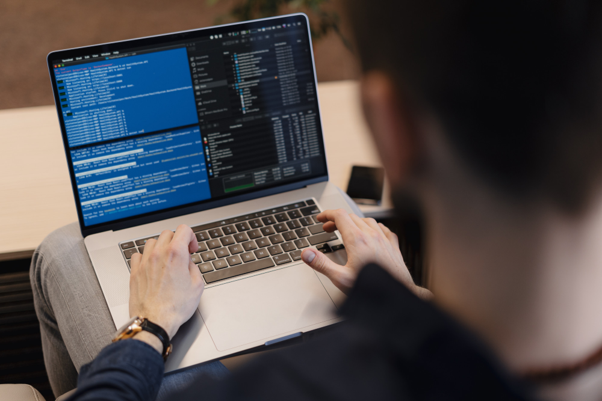
Learning Linux from a book only goes so far. At some point, the terminal needs to fight back a little. That’s where a root access VPS earns its keep — it hands over full control of a real server, mistakes included, and mistakes are where the actual learning happens.
Most beginners start on a local virtual machine. Fine for basics, but it never quite feels real. A VPS with root access runs on actual infrastructure, reachable over SSH from anywhere, with real uptime pressure and real consequences for typos in a config file.
Why Root Access VPS changes everything
Without root, Linux feels like a museum. You can stare all you want, but your hands stay off. With root, everything opens up — files, services, kernel parameters, all of it.
Linus Torvalds, who started developing the Linux kernel as a hobby project in 1991, once said something that fits this exact learning phase: “Talk is cheap. Show me the code.” Reading about permissions is talk. Breaking a permissions structure at 1 am and fixing it by sunrise — that’s the code part.
This is also roughly what users look for in VPS hosting when they’re serious about skill-building rather than just running a website. Not managed convenience. Not a control panel that hides everything behind friendly buttons. Raw access, a shell prompt, and nobody stopping them from running rm on something important.
Setting up root access on a VPS without wrecking it on day one
A fresh root access VPS is tempting to poke at immediately. Slow down for a minute first. A few habits early on save hours of cleanup later.
- Change the default SSH port and disable root login over password authentication.
- Get yourself a non-root user with sudo set up.
- Turn on a basic firewall first; ufw is fine, before opening any new services.
- Back it up or snapshot it right after the initial setup, before anything changes.
- Document every change in a plain text file, because memory fails faster than expected.
It’s closer to putting on a seatbelt than driving the car. But a full root VPS hosting environment left wide open for even a day tends to attract bots scanning for weak SSH credentials.
Where most learners trip up
The biggest mistake isn’t technical, oddly enough. It’s treating root access on a VPS like a toy that can’t really break. It can. Deleting /etc on a whim teaches a lesson, sure, but a painful one.
As John A. Shedd wrote in 1928, “A ship in harbor is safe, but that is not what ships are built for.” A VPS sitting untouched teaches nothing either. Push it, install odd packages, break networking on purpose, then fix it.
Providers matter here too. Some hosts throttle resources the moment CPU usage spikes during a compile job. Others, like Antihost, lean into the idea that a VPS with root access should behave like an actual sandbox, not a rented cage with training wheels bolted on.
The difference shows up fast. Trying to compile a kernel module, configure a reverse proxy, or run a small mail server needs headroom. A VPS with root with generous resources turns those experiments from frustrating into genuinely fun.
A practical note before wrapping up
Nobody becomes comfortable with Linux by reading alone. A root access VPS forces decisions, and decisions build memory in a way tutorials never quite manage. Rent one for a month, break something on purpose, then figure out why it broke.
That process, repeated a dozen times, teaches more than any course. Full root VPS hosting isn’t about the label — it’s about the freedom to fail safely, learn from the wreckage, and rebuild it better the second time around.