


QuickBooks Pro is a free accounting package designed for business owners who hold things down with spreadsheets and sticky notes but want a no-risk way to try their hand at using dedicated accounting software.
To reassure intimidated neophytes, the Simple Start interface takes a commonsense “money in, money out” flowchart approach, and it offers straightforward tutorials on basic tasks such as recording deposits. Users who want more functionality can purchase modules that process payroll and credit cards, but the 14 standardized reports (such as income statements and balance sheets) that are included in the basic package should suffice for most users. New for 2008 are the ability to import Excel data and the absence of any restriction on the number of customer and vendor contacts allowed.
Simple Start provides a great introduction to accounting software, but many businesses will outgrow it quickly. If your accounting needs are basic, it’s worth a look. Otherwise, you may be better off investing in an accounting package that offers time-saving features such as electronic data downloads and payroll management.
QuickBooks Pro Features
- Hello organised – QuickBooks Online keeps everything in its right place, so you’ll always have what you need when you need it.
- Free up time – Sync with your bank and favorites apps, so your books are always accurate and up to date.
- Claim everything – Claim every entitlement at tax time with your expense receipts stored and sorted in QuickBooks.
- Unlimited support – With QuickBooks free and unlimited customer support, help is always just a click away.
- Invoicing – Create professional custom invoices, send payment reminders, and match payments to invoices, automatically.
- Expenses – Be prepared for the Federal Tax Authority (FTA) with all your expenses organised in one place.
- Bank Feeds – Save time and reduce errors when you connect your bank to get a full view of your finances.
- Inventory – Stay on top of your orders and quantities while managing your inventory in real-time.
- VAT – Easily organise expenses into tax categories and track VAT on income and expenses, so you know where you stand and how much you owe.
- Capture and organise receipts – Use your phone to take photos of receipts. Match them to bills to stay organised and ready for filing VAT returns with everything in one place.
- Mobile App – Save time by running your business on-the go with your mobile device*.
- Insights and reports – See how your business is doing, and make better decisions with a range of customisable reports.
- Multi-currency support – Send invoices, record transactions and adjust reports in different currencies and assign specific currencies to each customer.
- Security – See how we always keep your information safe and compliant.
- Switch to QuickBooks – Switching from Xero, Excel, and other solutions to QuickBooks Online is simple.




System= Pentium IV CPU 2.0 GHz
RAM= 512 MB
Screen Resolutions= 1024 x 768
OS= Windows 98, ME, 2000, XP, Vista, 7, 8/8.1 and Windows 10

NIAZ BHAI KOI NETWORKING K LIYE RECOVERY SOFTWARE HEE BNA DE PLZ JIS ME RECORD RRKH SKTY HO USER KA LEDGER ETC…
https://www.muhammadniaz.net/2014/04/13/recover-deleted-data/
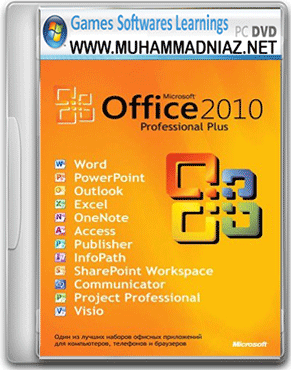
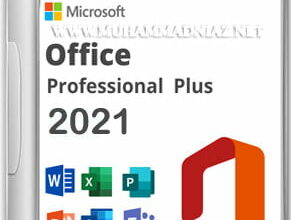
niaz bhai please upload preactivated microsoft office 2021, its showing genuine banner in this version
Dear use Activator For this or Watch this Video tutorial
https://www.muhammadniaz.net/2020/10/15/install-office-2019/
https://www.muhammadniaz.net/2013/04/15/office-activator-1/