

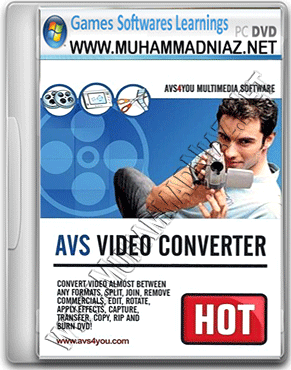

AVS Video Converter is a high quality software that allows you to rip and burn personal DVDs, convert video, create HD Video, split, join, edit, apply effects, copy to mobile devices! It can convert between most known video files: AVI, MPEG, DVD, WMV, 3GP, FLV and more. Also you to add menus and burn your own DVDs to watch on your home DVD player with your friends and family. Delete unwanted parts of video. Split and join. Rotate, add titles and credits, apply more than 50 audio and video effects to your movies. Upload them directly to handled devices Sony PSP, Apple iPod, Portable Media Player (PMP), and GSM or CDMA mobile phones. Transfer video files via Infrared, Bluetooth or USB cable. AVS Video Converter supports Memory Stick Video format with thumbnail preview. Use Batch mode Video Converter convert several video files at once.
Join several video files and make one DVD. AVS Video Converter has a simple and easy to use interface and takes a few moments to start working. The latest version obtained multi-threading processor support, HD video support and a better interface.
AVS Video Converter Features:
• Convert Video between Almost Any Formats: HD Video (inc. AVCHD, MPEG-2 HD and WMV HD), TOD, MOD, M2TS, AVI (DivX, Xvid, etc.), MP4 (inc. Sony PSP and Apple iPod), WMV, 3GP, QuickTime (MOV, QT), SWF, DVD, VOB, VRO, MPEG-1, 2, 4, H.263, H.264, Real Video, DVR-MS, MKV, FLV.
• Convert Video for Various Devices. AVS Video Converter includes ready presets to convert video for iPhone, iPad, iPod Touch, Samsung, Android tablets, Sony PSP, Amazon Kindle, smartphones, portable media players, etc.
• Convert within Minimum Time – Benefit from batch and multithreading conversion. Make the most of your multi-core processor power.
• Create Movie DVDs from video files of all supported formats. Use DVD menu templates. Split your movie into chapters. Watch them on your home DVD player.
• Manage Videos from HD Cameras – Key HD-Formats are supported: AVCHD, MPEG-2 HD, WMV HD, TOD, MOD, M2TS, M2T, MTS, HDV. Edit, split, trim HD-videos, add text & effects and convert them to DVD or any other supported video format. Burn a DVD-disc and watch it on your DVD-Player.
• Make Videos Ready for Website – Flash SWF, Real Video or WMV movies
• Straight from Disc to PC Copy videos and home DVDs to hard drive
• Extract Soundtracks and Images from Movies – Save audio streams as audio files, save single frames as images.
• Edit Fast and Precisely with a Timeline Delete unwanted parts. Split and join video files. Rotate, add titles and credits, apply more than 50 audio and video effects to your movies.
• Batch Mode Support Convert several video files at once. Join several video files and make one DVD.
• Multilingual Support. AVS Video Converter interface and tech-support are available in English, French, German, Spanish and Italian.




System= Pentium IV CPU 1.8 GHz
RAM= 1 GB
DirectX= 9.0
OS= Windows XP, Vista, 7, 8/8.1 and Windows 10


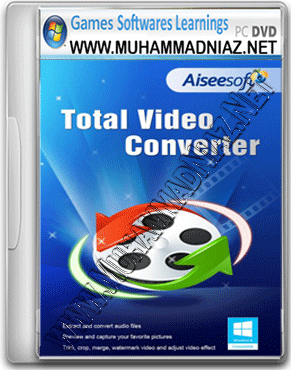
All of your converters links are either dead or sites are not available
i will Update for you in 24 Hours
http://www.muhammadniaz.net/category/softwares/converter/
اسلام و علیکم sir mujhe PDF to Doc Coverter chahye
Walikum Salam
http://muhammadniaz.net/2013/03/20/totalpdfconverter2-1-226/
also Share with Your Friends
Walikum Salam
http://muhammadniaz.net/2013/03/26/avirainternetsecurity2013/
Assalam o Alaikum!
niaz bhai aesa software uplod karien gis sey koi hamarey computer sey koi data like photos,videos,douments copy na kar sakey through flash drive
Thanks Dear Muneeb ur rehman Saqib
Muhammad Niaz bhai you done very well job…..
sir,
i am unable to get the pass word of this software
Assalam o Alaikum!
Niaz bhai aap k kisi bhi web page say koi bhi text select nahin horaha kya wajha hay?
Nadeem Walium Salam
Dear Blocked kiya hai main ni Copyright ki waja si
niaz bhai pdf to ms word convertor ka koi software btain plzzzz…
http://muhammadniaz.net/2013/03/28/universaldocumentconverter5-5/